

Hiding fields using CSS
- On your Form Editor, head to Build tab.
- Select the field that you want to hide, find the "Additional CSS Class(es)" section then input the name of the new class that will be added on that field.
Here is an example:

- Once the new class is declared on your field, head to your theme's customization settings. To do this, head to your WordPress Dashboard, click "Appearance" then "Customize".
- Find the "Additional CSS" tab then insert this code snippet.
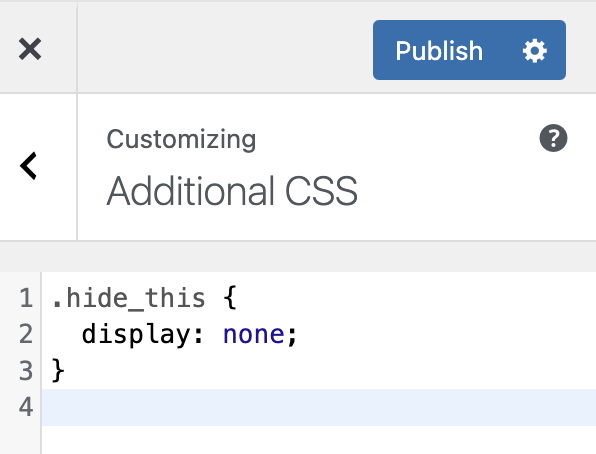
- If ever the "Additional CSS" tab is not available you can try adding it on the style.css file. To get there, head to your WordPress Dashboard, click "Appearance" then select "Theme File Editor". Find the style.css file then add the same code snippet.

- Make sure to "update" or "publish" to save your configuration.