Documentation index for AI agents (llms.txt). Markdown versions of every page are available by appending .md to the page URL. The full corpus is at /llms-full.txt.

Permanently delete a submission

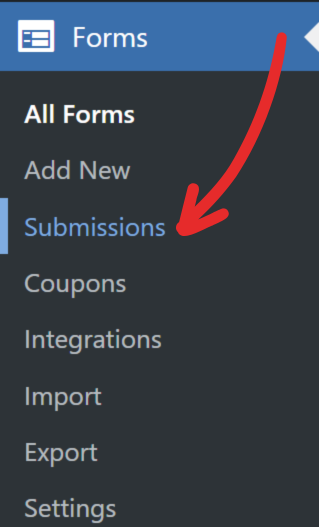
1. Head to Forms → Submissions screen.

Permanently delete a submission screenshot 1

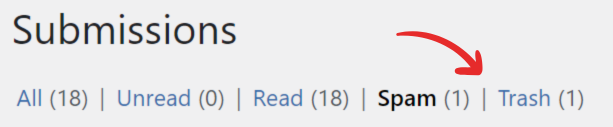
2. Click on the Trash link at the top of the page.

Permanently delete a submission screenshot 2

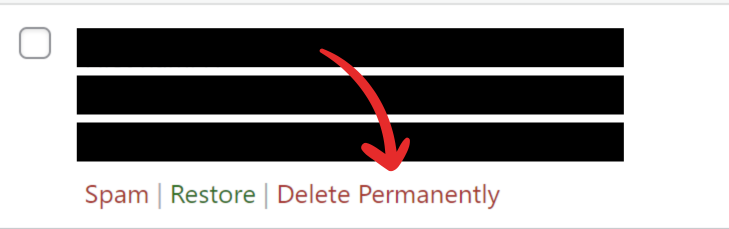
3. Hover over the submission you want to delete.

4. On the hover menu, click Delete Permanently.
Permanently delete a submission screenshot 3